
Most indie launches fail one of two ways: you build something nobody wanted, or you build something good and launch it to an empty room. A small set of pre-launch tools exists to prevent both, and none of them takes long to set up. They fall into a few categories: validating demand and building an audience before you write code, a landing page to point people at, analytics so you can see what is happening, and a channel to collect feedback once people show up.
This guide walks each category and the tools worth using, starting with the one that matters most, the one that decides whether you are building the right thing at all. It also makes the case for why a waitlist with a survey beats collecting emails alone, because that single choice changes how much you learn before launch.
On this page
- Start with demand, not code
- Waitlist plus survey beats email-only
- A landing page
- Analytics from day one
- A feedback and roadmap channel
- How the stack fits together
- FAQ
Start with demand, not code
The most expensive mistake in indie development is spending months building a product before confirming anyone wants it. The fix is cheap: put up a page that describes the thing, collect signups from people who want it, and learn something about them in the process. If nobody signs up, you just saved yourself a quarter of your life. If they do, you launch to a warm audience instead of shouting into the void.
This is the category to get right first, because everything downstream, the landing page, the analytics, the launch itself, is wasted effort if the demand is not there. The tool you want here is a waitlist, and specifically a waitlist that does more than bank email addresses.
Waitlist plus survey beats email-only
A plain waitlist collects one thing: an email address. That is a weak signal. It tells you someone was interested enough to type their address, and nothing else. Interested in what, exactly? For which use case? At what price? You do not know, so when it comes time to build, you are still guessing.
A waitlist that puts a survey question or two on the same signup form collects the thing you actually need: not just who is interested, but why. What problem they are trying to solve, which feature would make them pay, what they use today. That turns a list of addresses into a small validation dataset you can read before you write a line of code, and segment when you send your launch email.
The fear is that asking a question depresses signups. In practice a short, optional question barely dents the conversion rate and dramatically improves what you learn, and the people who answer are exactly the qualified, engaged users you want on launch day. Counting emails feels like progress; understanding why people signed up is progress.
One tool built entirely around this idea is Lighthouse. It builds a waitlist landing page in a couple of minutes with survey questions on the same form, runs a newsletter to the list you collect, has AI that reads every survey answer and summarizes the themes for you, and even exposes an MCP server so an AI agent like Claude, Cursor, or ChatGPT can query your waitlist and its answers directly.
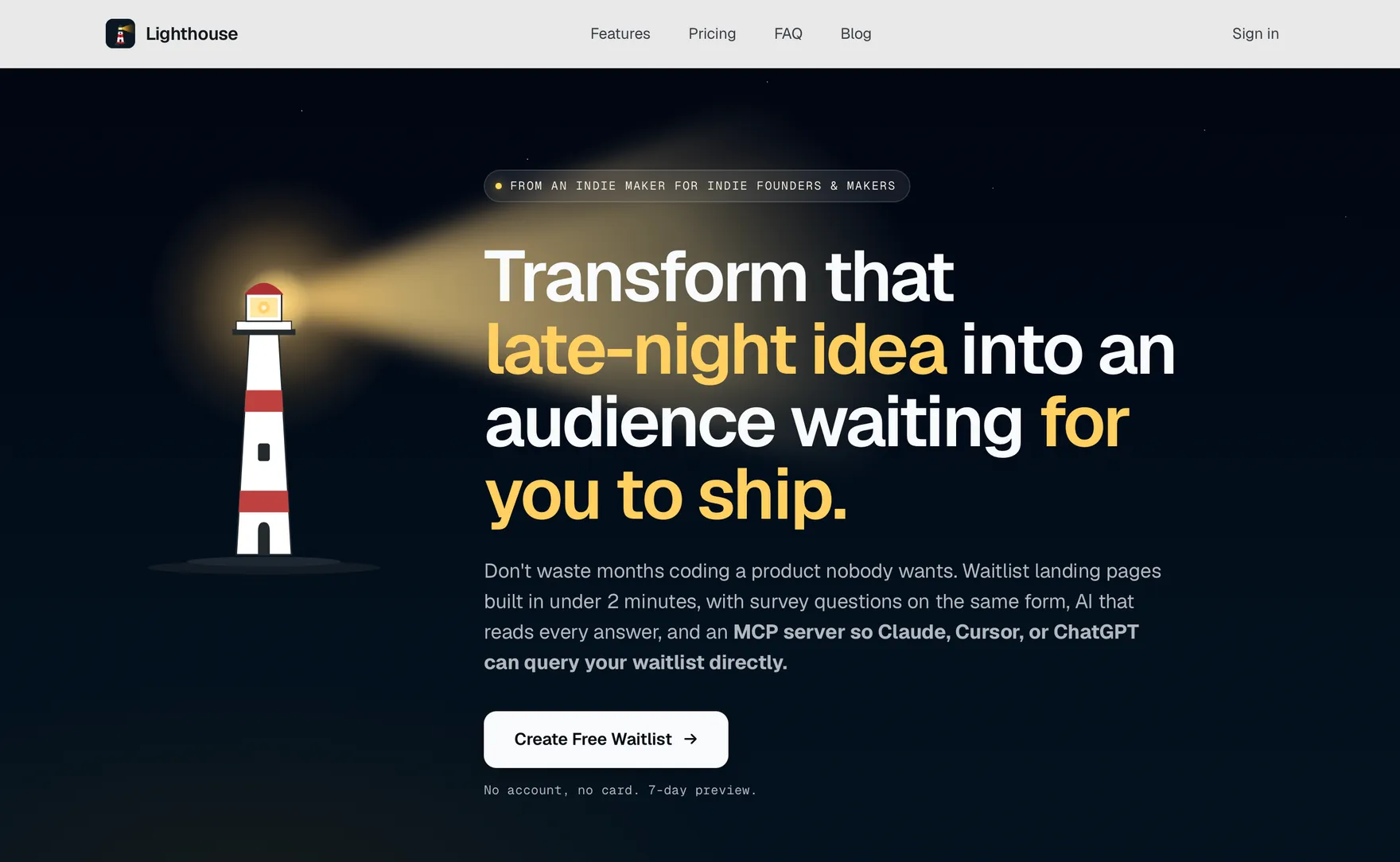
The AI-insights and MCP pieces are the part worth noting: once you have a few hundred survey answers, reading them one by one is its own chore, so having a model surface the themes, or letting your coding agent pull the answers into the same place you build, closes the loop from "collect signal" to "decide what to build." Whatever tool you pick, the rule is the same: capture answers, not just addresses.
A landing page
Separate from the waitlist mechanics, you need a page that actually sells the idea, the words and images that make someone want to sign up. A waitlist tool gives you a form; a landing page gives it a reason to exist.
- Carrd is the cheapest, fastest way to put up a one-page site. For a pre-launch page it is often all you need.
- Framer is the step up when you want design control and animation, and it doubles as your real marketing site later.
- Unicorn Platform and similar no-code builders sit in between, with startup-oriented templates.
Keep it to one page and one job: explain the problem, show the product, and get the signup. You are not building the final marketing site yet, you are testing whether the pitch lands.
Analytics from day one
Put analytics on the landing page before you drive any traffic to it, so you actually know what happened when you post it. Without it, you get a number of signups and no idea which channel or which version of the pitch produced them.
- Plausible and Fathom are the two indie favorites: lightweight, privacy-friendly, no cookie banner, and simple enough that you will actually look at them.
- Whichever you choose, the point is to see traffic sources and conversion rate, not to build a dashboard you never open.
The value shows up the day you share your page somewhere. Instead of "I got 40 signups," you get "the Reddit post converted at 8 percent and Twitter at 1 percent," which tells you where to spend your next week.
A feedback and roadmap channel
The moment real people touch your product, in beta or at launch, you want a single place for them to tell you what is broken and what they wish it did, rather than scattering it across DMs and email.
- Canny is the established option for feedback boards and public roadmaps.
- Featurebase and Frill are lighter, indie-friendly alternatives that also handle changelogs.
This one is easy to defer, and it is fine to add it right before your beta rather than pre-launch. But having it ready means the feedback that arrives on launch day lands somewhere you can triage instead of drowning in your inbox.
How the stack fits together
The order is what matters. Validate demand with a waitlist and survey first, because it is the only step that can tell you to stop before you waste months. Give that waitlist a real landing page and put analytics behind it so you know what is working. Add a feedback channel by the time you have users. Everything here can be set up in an afternoon, and together it is the difference between launching blind and launching to an audience you already understand.
None of it replaces building the product, but all of it makes the product you build more likely to be the right one.
FAQ
What tools do I need before launching an app?
At minimum: a way to validate demand and collect an audience (a waitlist, ideally with a survey), a landing page to point people at, analytics so you can see what converts, and a feedback channel for when users arrive. All of it can be set up in a day.
Why use a waitlist with a survey instead of just collecting emails?
An email address only tells you someone was interested. A survey question on the same form tells you why they are interested, what problem they have, and what would make them pay. That is the information you need to build the right thing and to segment your launch email, and a short optional question barely reduces signups.
What is the best waitlist tool for indie makers?
Look for one that captures survey answers alongside emails, not just addresses. Lighthouse is built around that, adding a newsletter, AI that summarizes survey answers, and an MCP server so an AI agent can query your waitlist. Any tool that turns your waitlist into a validation dataset beats a plain email collector.
Do I need analytics before I even launch?
Yes, on your pre-launch landing page. Adding it before you share the page anywhere means that when you do, you can see which channels convert and which version of your pitch works, instead of getting a signup count with no context.
When should I add a feedback tool?
You can defer it to just before your beta rather than pre-launch. The goal is to have one place for feedback ready by the time real users arrive, so launch-day feedback lands somewhere you can triage rather than scattered across your inbox and DMs.
How long does it take to set up a pre-launch stack?
An afternoon. A waitlist with a survey, a one-page landing site, analytics, and a feedback board are all no-code or near-no-code, and none of them requires ongoing maintenance before launch. The time cost is small; the cost of skipping validation is months.
This guide is platform-agnostic, but if the app you are validating is an iOS app, the build step is where Spaceport comes in: it generates a production-ready SwiftUI Xcode project with subscriptions, sign-in, analytics, notifications, a widget, and a Watch app already wired up, so once your waitlist tells you what to build, you start from a working app instead of a blank Xcode project. From an indie iOS dev, for indie iOS devs.